
The holiday calendar is the list of days your company treats as non-working. It lives under Leave → Holidays, or open it directly: Holidays.
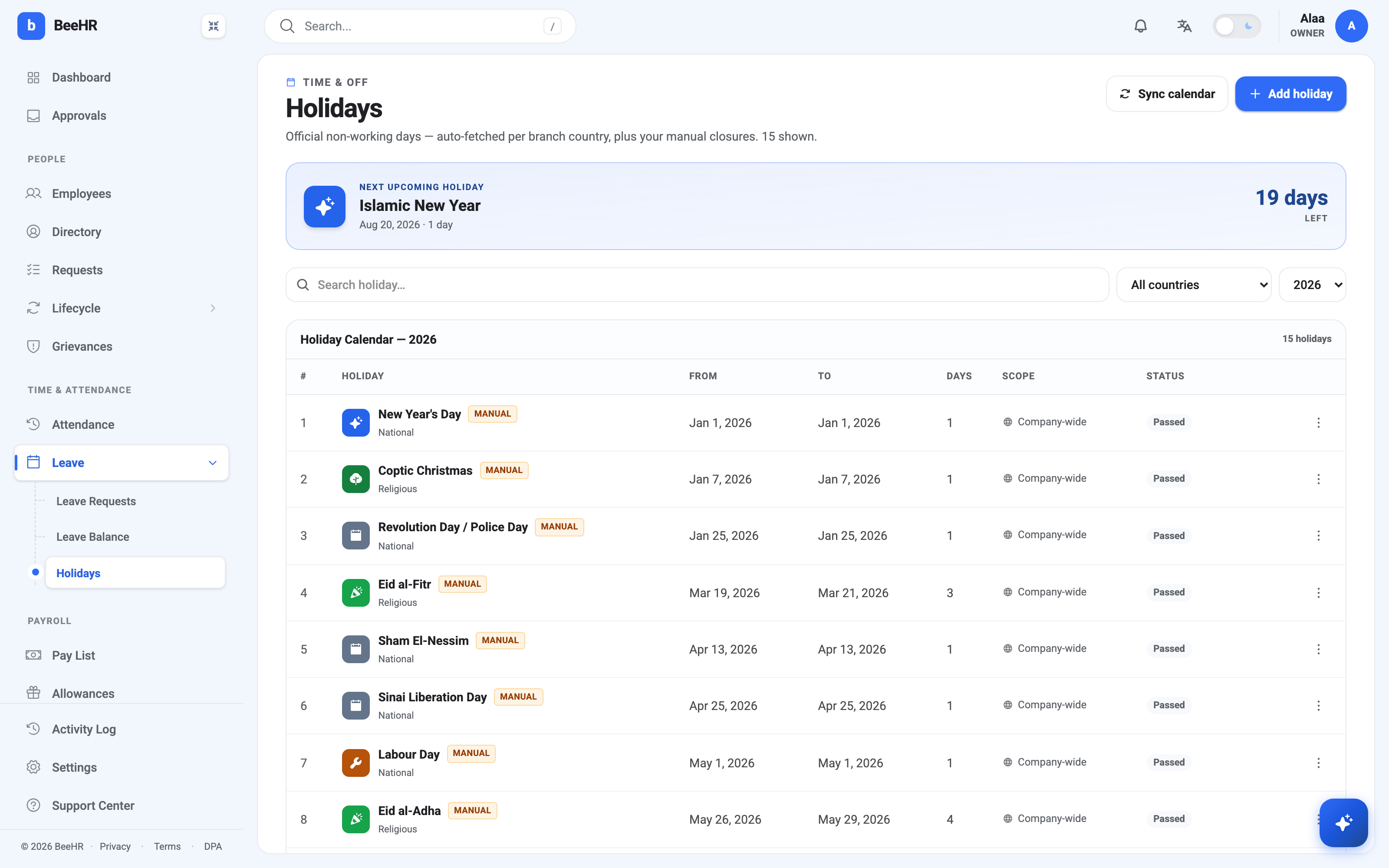
The banner across the top always shows the next holiday and counts down to it. It is the quickest way to answer “when is the office next closed?” without reading the table.
Adding a holiday
Add holiday asks for a name, a date, and a category.
A holiday can span more than one day — set a To date and BeeHR works out the length for you, which is why Eid al-Adha shows as four days rather than four separate entries. Keep multi-day holidays as one entry; it reads better everywhere else in the product.
Category is one of National, Religious or Company. It changes the icon and colour on this page but nothing about how the day behaves — a company offsite and a national holiday are both simply days you don’t work. Use it for your own filtering and reporting.
There is also a repeats yearly option. Turn it on for dates fixed to the calendar — New Year’s Day, Labour Day, a foundation day. Leave it off for anything that moves, which in practice means most religious holidays, since their Gregorian dates shift each year.
Manual and synced holidays
Every holiday in the screenshot carries a MANUAL badge, meaning somebody typed it in. Sync calendar is the other route: it pulls the official public holidays for your branches’ countries and adds them for you. Synced entries are labelled differently, so you can always tell which came from where.
Syncing does not overwrite what you have added by hand, so it is safe to run on a calendar you have already built up.
Scope
Scope reads Company-wide for a holiday everyone observes. If you operate in more than one country, a holiday can instead be tied to a country, and then it only applies to branches there — Coptic Christmas need not close an office abroad. The All countries dropdown filters the table the same way.
Passed and Upcoming
Status is not something you set. BeeHR compares the date to today and displays Passed or Upcoming accordingly, which is why the January entries read Passed while August’s does not. There is no way to mark a holiday as done, and no need to — it happens on its own at midnight.
Use the year dropdown on the right to look at another year. Next year’s calendar starts empty until you either add entries or run a sync for it.
Note — Adding a day here does not colour it in on the attendance grid. The calendar and the grid are separate: the calendar records that the company is closed, and marking the day on the grid is what writes a Holiday against each person’s attendance. See The Monthly Attendance Grid for how to do that.