
Decisions can be made from the ⋮ menu on any Pending row, or from the buttons at the top of the request itself. Both open the same confirmation.
The request page
Opening a request gives you everything the decision might turn on.
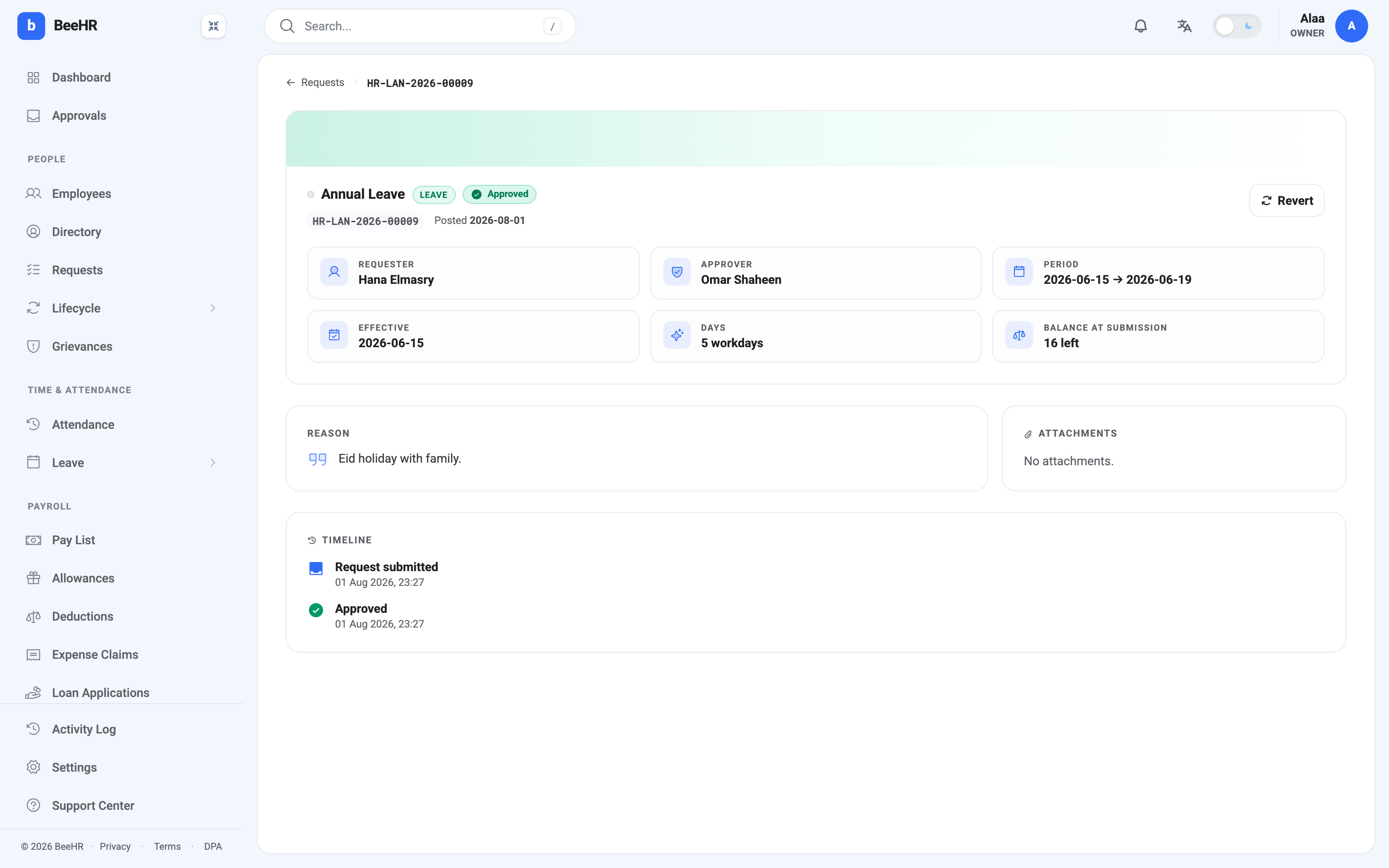
Balance at submission is a snapshot, taken when the request was filed and frozen there. It is not live. That is the point — six months later it still tells you what the person had left at the moment they asked, which is the number the decision was actually made against.
The timeline records each step with a timestamp. Nothing is ever removed from it, including reverted decisions, so a request that changed its mind shows the whole story.
Approving
Approving does two things: it moves the request to Approved, and for leave it deducts the day count from the employee’s balance. The dialog tells you how many days that is before you confirm.
There’s nothing else to fill in. If you want to say something to the requester, say it outside BeeHR — the approve dialog has no message box, by design.
Rejecting
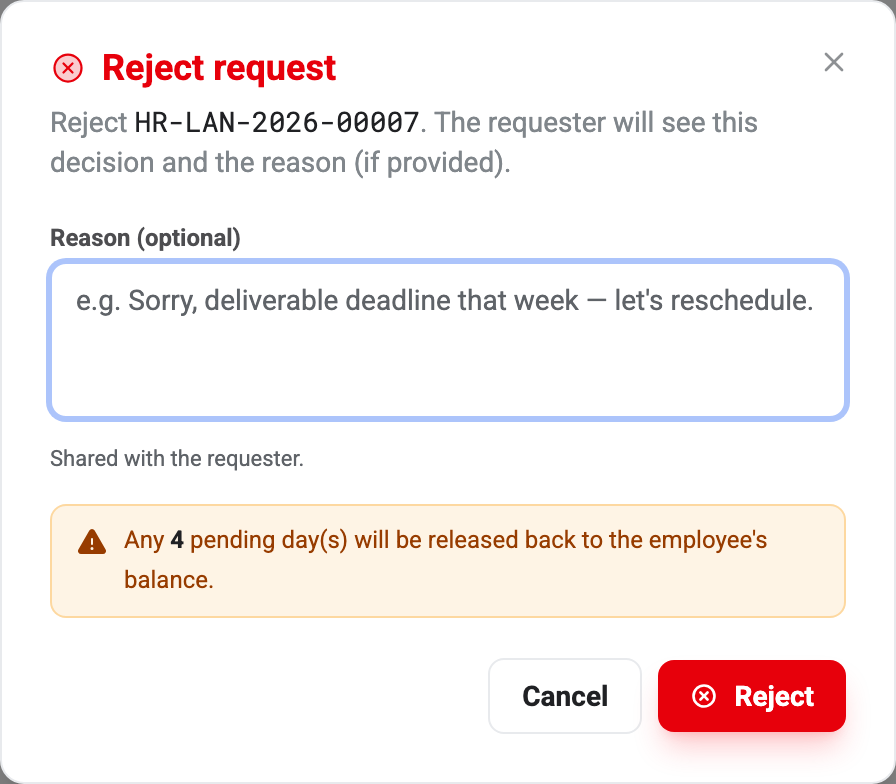
Rejecting releases the days that were being held back to the employee’s balance, so nothing is lost by turning a request down.
The reason is optional and is shown to the requester. It’s the one piece of this screen that decides whether somebody understands the decision or just receives it. A rejection with no reason reads as a refusal; “deliverable deadline that week — let’s reschedule” reads as a conversation.
It also saves you the follow-up message you’d otherwise have to send.
Reverting a decision
Revert puts an Approved or Rejected request back to Pending so it can be decided again. It is Admin-only.
Balances are recalculated as part of the revert — days deducted by an approval come back, days released by a rejection are held again — so you don’t have to adjust anything by hand afterwards.
Use it for a genuine mistake: the wrong row was approved, or a rejection was based on information that turned out to be wrong. It isn’t a way to renegotiate approved leave after the fact; the employee has already booked the flight.
Deleting
Delete removes the request entirely, with no trace in the timeline or reports. It is only possible while a request is Pending — an Approved or Rejected one has to be reverted by an Admin first, which is two deliberate steps in front of erasing a decision.
The rule of thumb: reject what shouldn’t happen, delete what should never have been filed. A duplicate submitted twice by accident is a delete. Anything somebody actually asked for is a reject, so the record shows they asked and what the answer was.
When a decision is refused
Two messages come up now and then.
State conflict — this request was already actioned. Somebody else decided it first, in the seconds between your page loading and your click. Refresh; their decision stands.
This request is no longer Pending. The same thing, usually seen when a browser tab has been open a while. Reload the page rather than retrying.