
A transfer moves somebody between departments, between branches, or both, on a date, with a reason and an approval. Like a promotion it’s a dated, approved record rather than a quiet edit to their profile.
It lives under Lifecycle → Transfers.
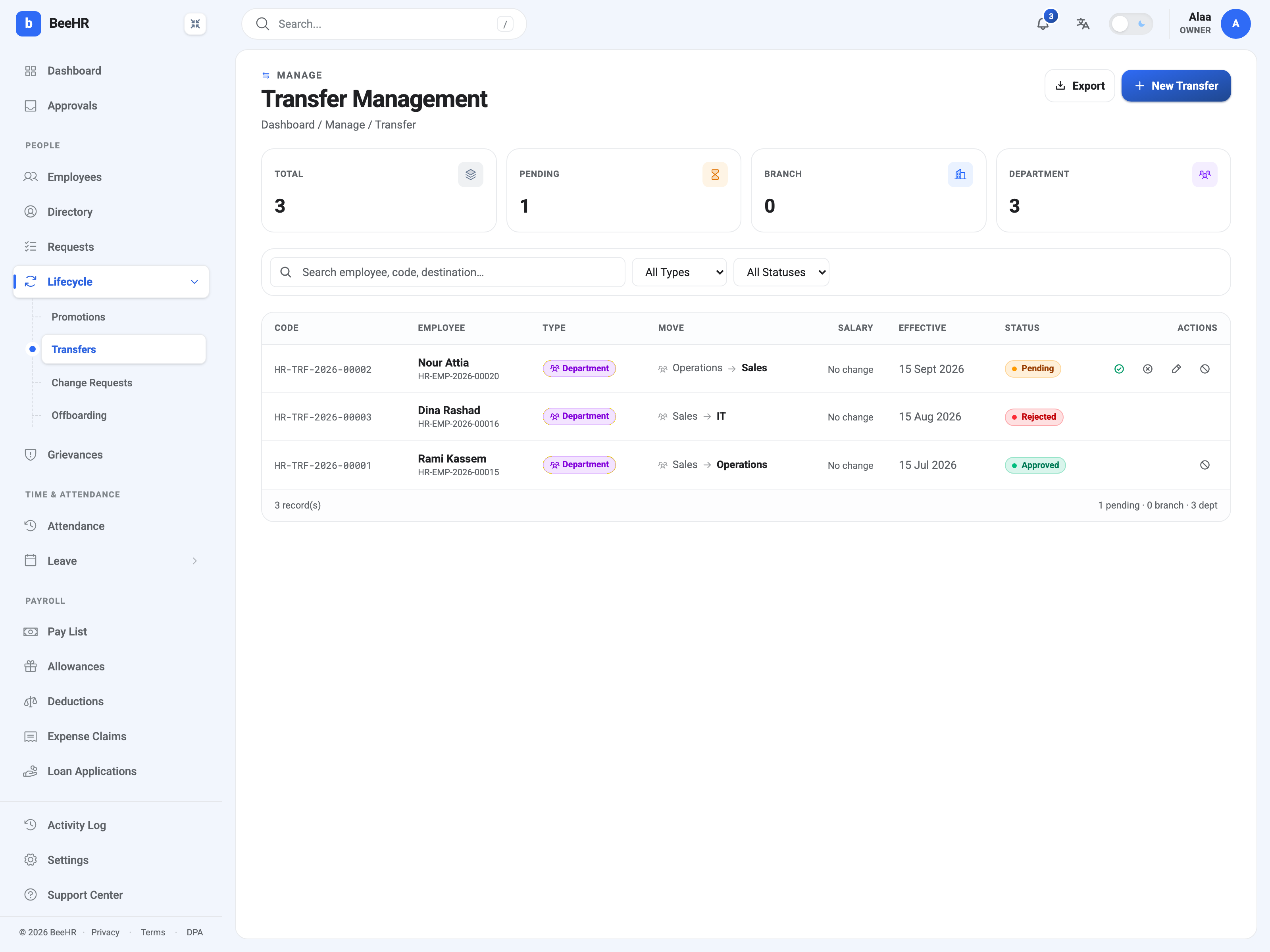
Department, branch, or both
The Type badge on each row is derived, not chosen: BeeHR looks at what you changed and labels the transfer accordingly. Change the department and it’s a Department transfer; change the branch and it’s a Branch one; change both and it counts as both.
That’s why the tiles can add up oddly — Branch 0, Department 3 against a total of 3. They’re counting characteristics, not categories.
A single-branch company can only ever make department transfers, which is what you see above. Branch transfers need a second location to exist first; see Branches: Adding and Managing Locations.
The reason is not decoration
Every transfer needs one of eight reasons, and unlike most dropdowns this one has downstream consequences for how the move reads later:
| Reason | Typically |
|---|---|
| Promotion-related | Moving because they were promoted |
| Restructuring | The org changed shape around them |
| Performance-based | A move prompted by performance, either way |
| Voluntary | They asked |
| International Assignment | A posting to another country |
| Skills realignment | Their skills fit better elsewhere |
| Resource rebalancing | Cover moved to where it was needed |
| Disciplinary | A move as an outcome of a process |
Two of these are worth handling carefully. Disciplinary and Performance-based transfers are, in most jurisdictions, records somebody may one day contest — so the notes field matters more on those rows than anywhere else in the module. Write what a stranger would need to understand the decision.
Voluntary is the one people under-use. A move somebody asked for reads very differently in a year’s time from one that was done to them, and nothing else on the record captures that difference.
What a transfer changes — and doesn’t
It changes their department and/or branch, on the effective date.
It can carry a salary adjustment, percentage or fixed, exactly as a promotion can. The Salary column reads No change when none was set, which is the usual case for a lateral move.
It does not change their designation. Somebody moving from Sales to Operations keeps their job title. A move that comes with a step up is two records — a transfer and a promotion — which is exactly what the Promotion-related reason is for.
It does not change their reporting manager. That’s a field on the employee record, and it’s easy to forget: a transfer that moves somebody to a new department without updating who they report to leaves their requests routing to their old manager, and leaves a Direct-reports scope pointing at the wrong people. Update it alongside the transfer.
Approving, and the same timing rule as promotions
The states match promotions exactly — Pending, Approved, Rejected — and only a Pending row carries actions: approve, reject, edit, cancel.
The same distinction between agreed and applied holds. Approving a transfer agrees to it; the department change lands on the effective date, applied by a scheduled process. An approved transfer dated next month leaves the employee in their old department until then, which is correct rather than broken.
Rejected transfers stay on the list. As with promotions, the fact that a move was proposed and declined is part of the record.
Before you raise one
Three things worth checking, because all three are easier before the move than after:
- Does the destination department exist and is it named right? The list comes from Departments.
- Should the salary change? A cross-branch move in particular may carry different terms.
- Who will they report to? Update the reporting manager, or the move is only half done.
For a move out of the company rather than within it, see Off-Boarding: Starting an Exit Case.