
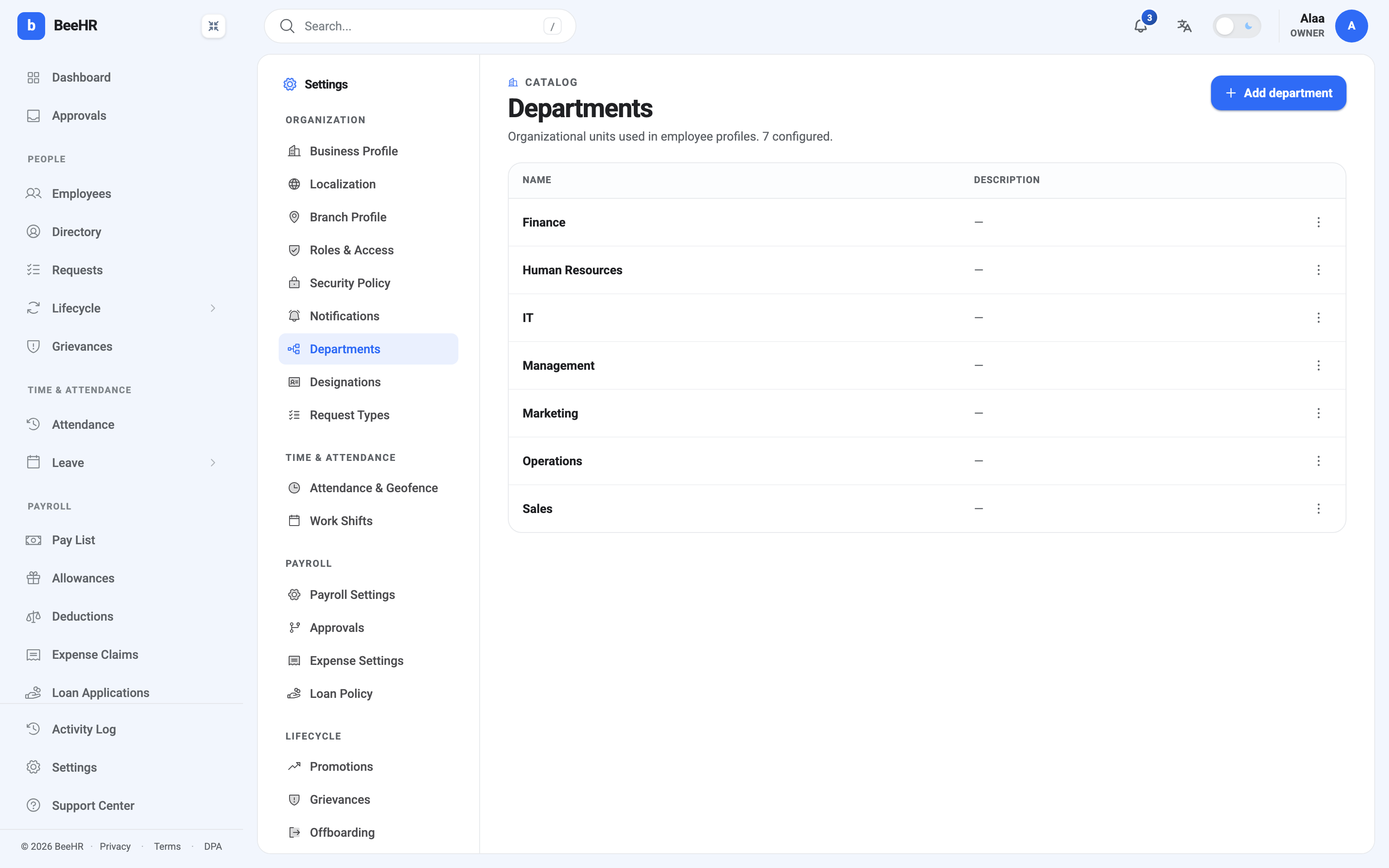
A department is an organizational unit that employees belong to. The list lives at Settings → Departments, and it is the source of every department dropdown, filter and grouping in the product.
Where departments actually show up
Worth knowing how much rests on this short list, because it’s more than it looks:
- The Department field on every employee record.
- The department filter on the employees list, attendance, allowances, deductions and the pay list.
- Grouping and breakdowns on the dashboards and in exports.
- The scope of some reports.
What a department is not is a permission boundary. Being in the Finance department gives nobody access to finance data — that’s roles and scopes, covered in Roles and Access. Departments describe the organization; roles decide what people can do in it.
Nor is a department a reporting line. Who approves somebody’s request comes from their reporting manager, not from a department head.
Adding one
Add department asks for a name and an optional description.
The description is genuinely optional and mostly earns its place when two departments could be confused — an Operations and a Logistics that split along a line only insiders know. Otherwise the name does the work.
Names are what everyone sees in dropdowns, so keep them short and in the company’s own vocabulary.
Renaming and removing
The row menu at the end of each row holds edit and delete.
Renaming is safe. Departments are referenced by their id, not their name, so employees stay attached and history isn’t rewritten. Renaming Human Resources to People moves everybody with it, and past records show the new name.
Deleting needs more thought. A department with people in it is still referenced by those records, so the sensible order is:
- Move everyone to their new department first — bulk-edit or one record at a time.
- Check the department filter on the employees list reads zero for it.
- Then delete.
Doing it the other way round leaves records pointing at something that no longer exists, which shows up as blanks in filters and gaps in reports.
If a department is genuinely being wound down but its history matters, consider leaving it in place rather than deleting it. An empty department costs nothing and keeps old records readable.
How many to have
The useful test is whether you’d filter by it. A department list that mirrors an org chart three levels deep makes every dropdown long and every report noisy; one that’s too coarse makes filtering useless.
Seven, as seeded here, is about right for a company of twenty. If you find yourself adding a department for one person, that’s usually a designation — a job title — rather than a department.