
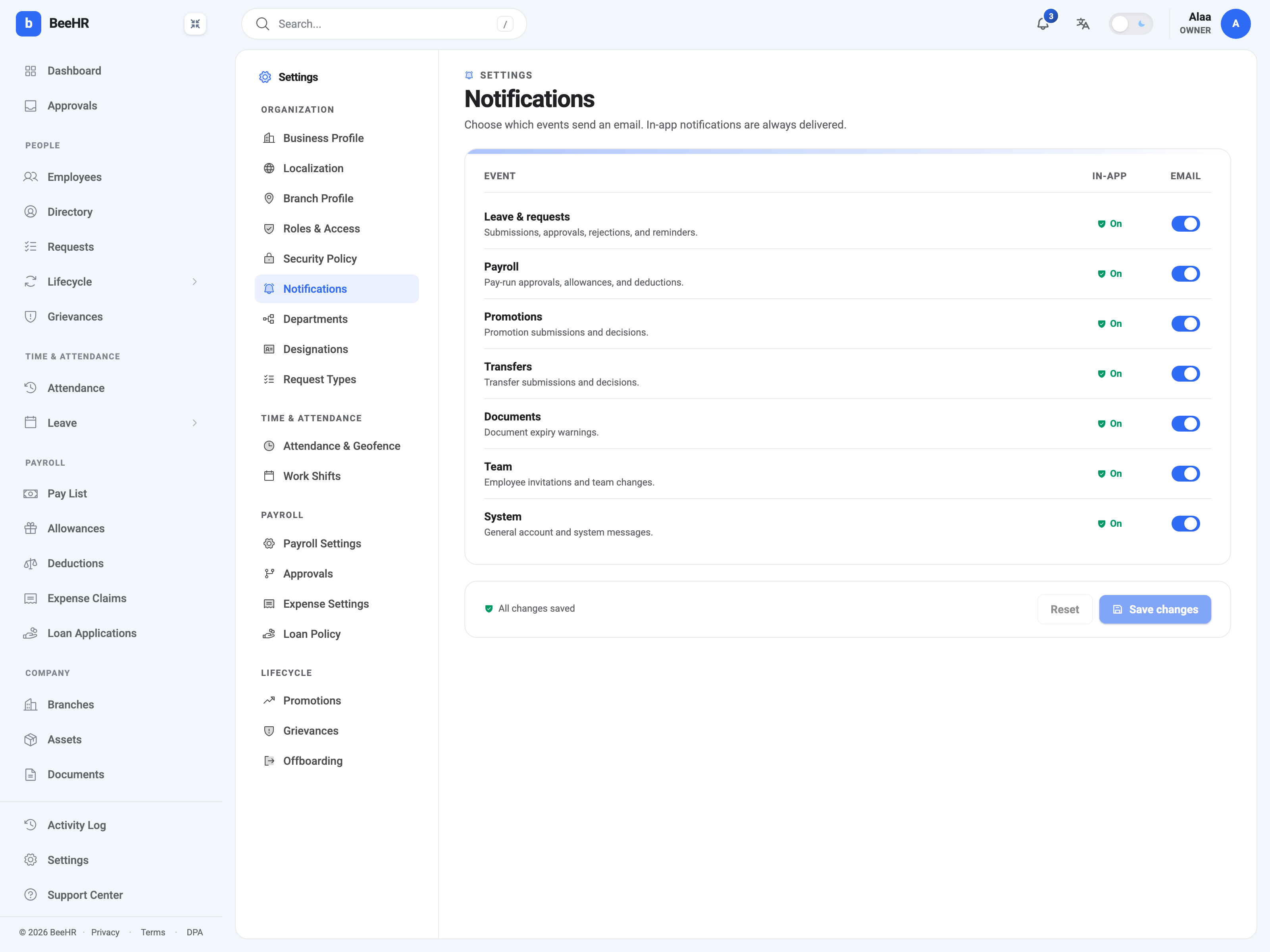
Settings → Notifications decides which events send email. It is one switch per category, for the whole organization.
In-app notifications can’t be turned off
The In-app column reads On for every row and there is no switch behind it. The bell in the top bar always shows everything.
That’s deliberate rather than an omission. In-app notifications are how BeeHR tells somebody a request is waiting on them; a company that switched them off would have approvals silently piling up with nothing to indicate it. Email is the optional channel because it’s the intrusive one.
The seven categories
| Category | Covers |
|---|---|
| Leave & requests | Submissions, approvals, rejections, reminders |
| Payroll | Pay-run approvals, allowances, deductions |
| Promotions | Promotion submissions and decisions |
| Transfers | Transfer submissions and decisions |
| Documents | Document expiry warnings |
| Team | Employee invitations and team changes |
| System | General account and system messages |
The grouping is coarse on purpose — you’re choosing whether a kind of activity warrants email, not tuning individual events. There is no way to keep pay-run approval emails while dropping allowance ones.
It’s company-wide, not personal
Everything here applies to everybody. There is no per-person email preference, so switching Payroll off stops payroll email for the whole organization, not just for you.
This matters most for the categories that only reach a handful of people anyway. Payroll email goes to whoever the approval chain names — see Payroll Settings and Approval Chains — so turning it off to reduce your own inbox also removes the prompt that tells your finance lead a run is waiting.
What to think about before switching one off
The honest question for each row is whether anybody acts on it outside the product.
Leave & requests and Payroll usually deserve email, because they’re blocking: somebody else is waiting for a decision, and a person who only opens BeeHR twice a week will hold up a pay run.
Documents is the quiet one worth keeping. Expiry warnings are the only notice you get that a visa or a certification is about to lapse, and nobody goes looking for that in the app.
System carries account-level messages. Leaving it on is sensible.
One caveat inherited from the wider product: a switch being on here means the email is sent when the event fires. It doesn’t guarantee every feature that sounds like it should email actually does — the pay-run Send payslips via email checkbox, for instance, sends nothing regardless of what this panel says. That’s covered in Running Payroll: The Generate Wizard.
Saving
The footer reads All changes saved until you touch a toggle, then offers Save changes and Reset. Nothing applies until saved.
Your own notification delivery — where email reaches you — is your account address, changed under your profile rather than here.