
Generating payroll is the one action in BeeHR that touches everybody’s money at once, so it is deliberately three steps rather than one button. The middle step shows you what you are about to create, and nothing is written until you leave it.
Open it with Generate Payroll, top right of Payroll → Pay List. In a month that has no run yet, there is a second copy of the button in the middle of the empty table.
Step 1 · Configuration
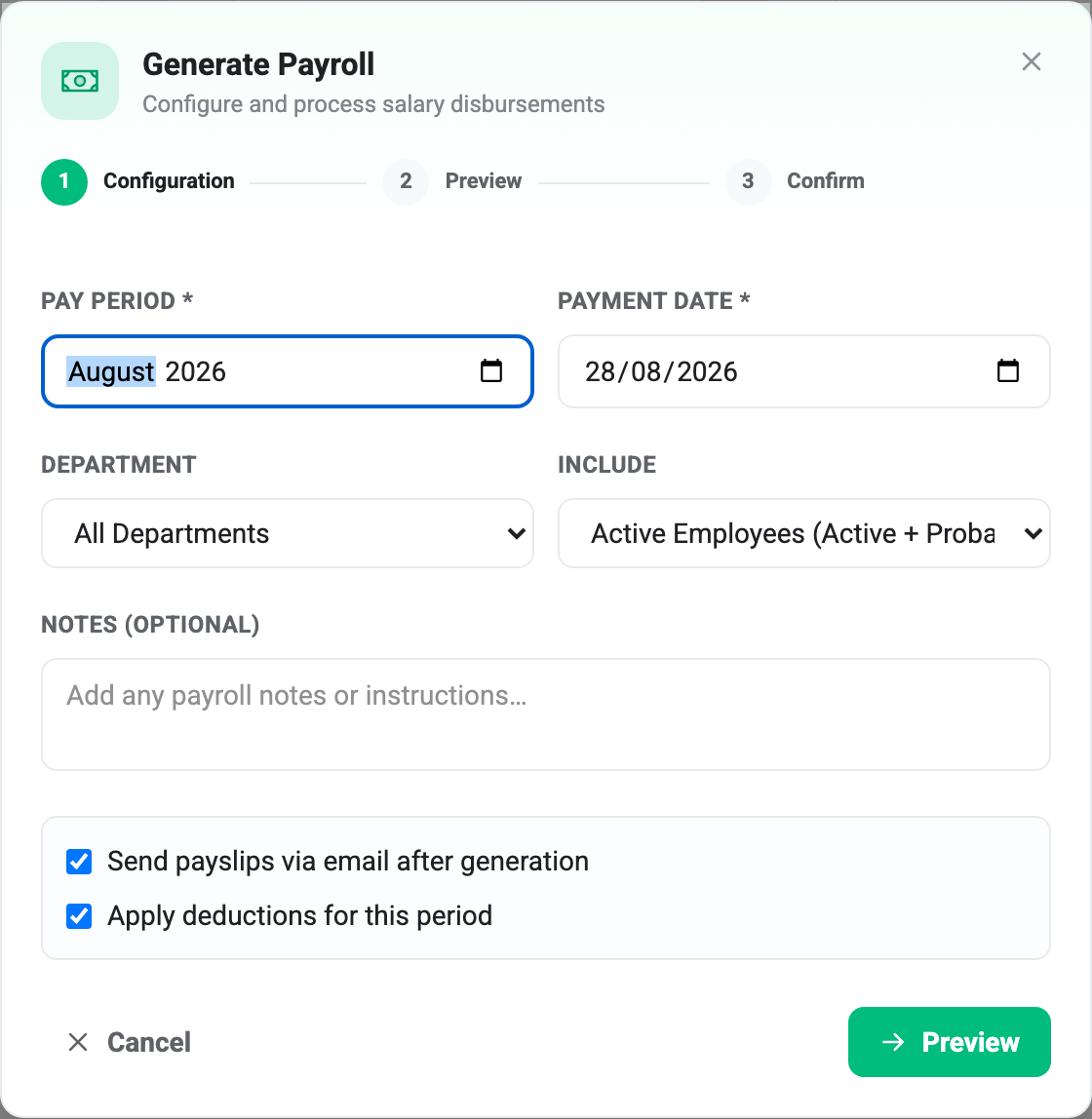
Pay period is the month the run belongs to, and it decides which allowances and deductions get picked up — those are filed by month, not by date. It opens on whichever month you were looking at.
Payment date is the day the money is meant to land. It defaults to the 28th and is a record, not a schedule: nothing happens automatically on that date.
Department limits the run to one department. Leave it on All Departments unless you genuinely pay one team separately, because a departmental run still claims the month — see One run per month below.
Include is the setting worth reading twice:
- Active Employees (Active + Probation) — the default, and what almost every run should be.
- All Employees (incl. Suspended) — adds suspended staff. Whether a suspended person should be paid is a policy question, not a technical one; the default assumes not.
Neither option includes people who have left.
Notes are free text stored with the run, useful for “13th-month included” or whatever made this month unusual.
Apply deductions for this period does what it says: untick it and every approved deduction is ignored and the run’s deductions total is zero. It is there for the month where you decide to let something ride, and it applies to the whole run — you can’t exempt one person from here.
Send payslips via email after generation is stored with the run, but BeeHR does not currently email payslips — ticked or not, nothing is sent. Payslips are downloaded one at a time from the pay list instead. Leave it as you find it.
Step 2 · Preview
This is the step that matters, and it is safe: previewing runs the whole calculation and writes nothing. You can come back, change Step 1, and preview again as often as you like.
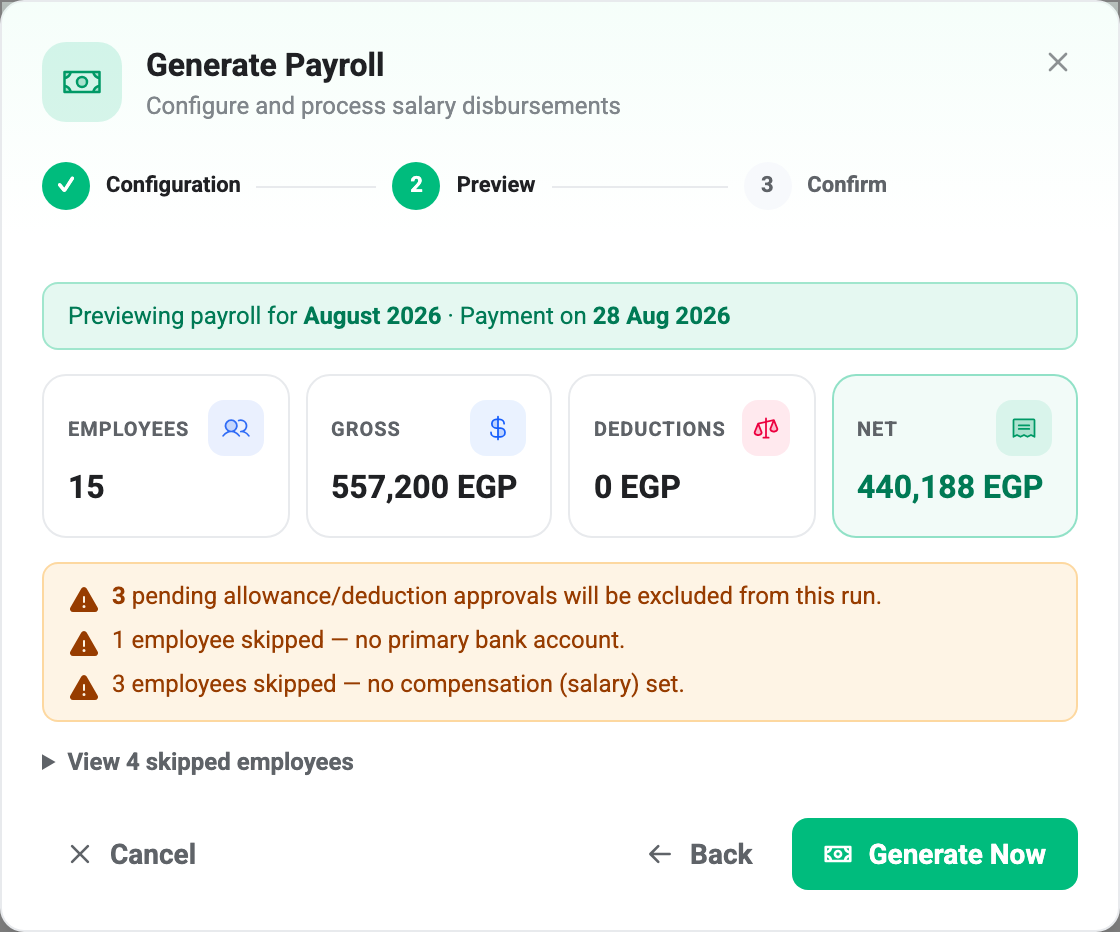
The four tiles are the run in summary. Gross is basic pay plus approved allowances; Net is what people actually receive after deductions, tax and insurance. If Net looks wrong here, it will be wrong on fifteen payslips.
Read the amber box
The warnings are the reason this step exists.
“N pending allowance/deduction approvals will be excluded” — rows that exist for this month but are still sitting at Pending. They are not errors and nothing is broken; they simply won’t be paid. If one of them should be in the run, cancel out, approve it, and start again.
One gap to know about: this warning counts Pending rows only. Rows marked Disputed are also excluded from the run, and they are not mentioned here at all. If somebody has queried an allowance, check the Allowances page separately.
“N employees skipped — no primary bank account” and “no compensation (salary) set” — people BeeHR cannot pay. They are not in the totals and will not appear in the run.
View N skipped employees opens the list, which is the part actually worth acting on, because it names them:
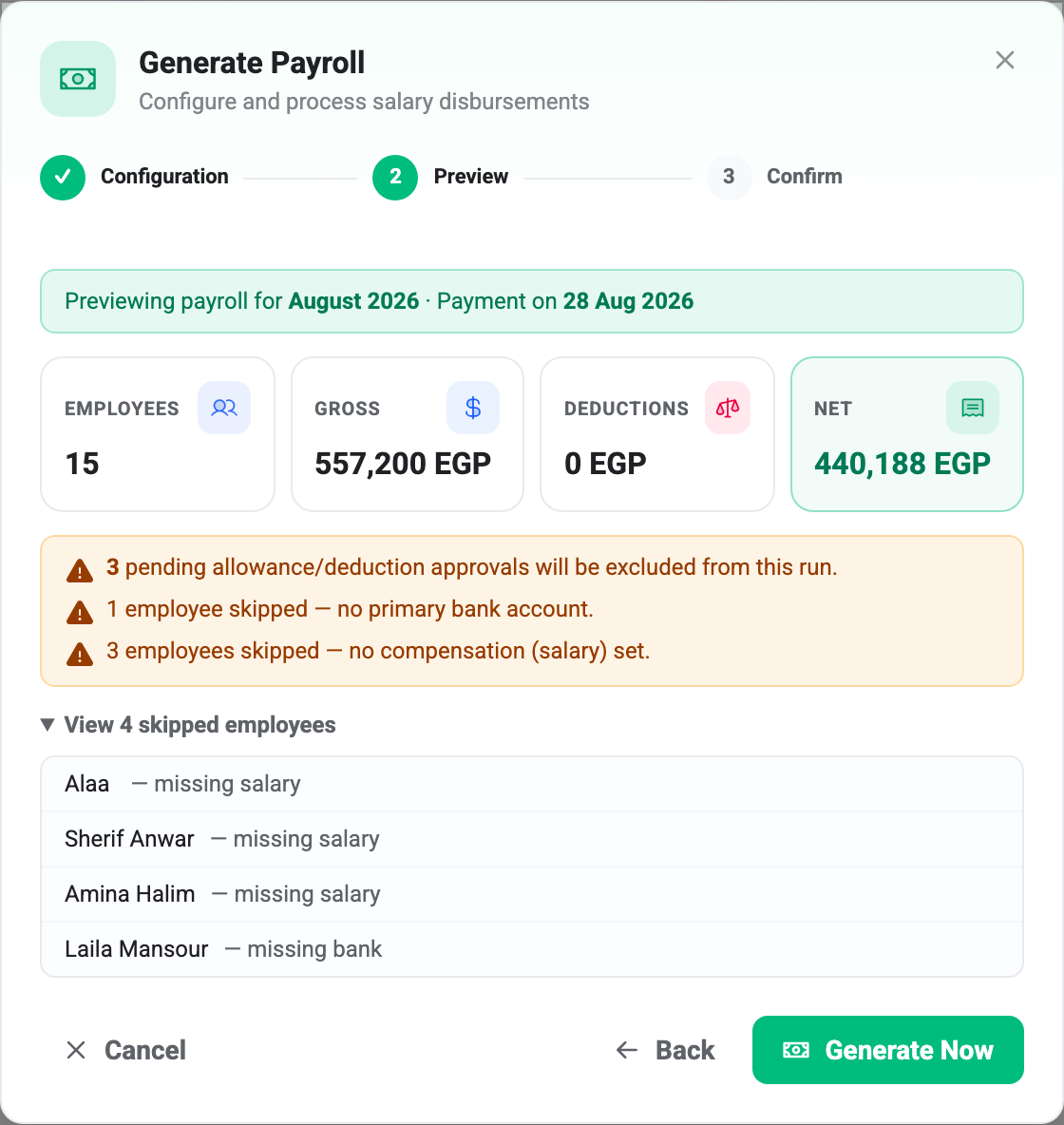
A name here means somebody gets paid nothing this month. It is worth a look every time, even when the count is what you expected — the fix is a two-minute edit on their record, and it is much easier now than after the run is paid.
Note the arithmetic in this example: 15 employees are included and 4 are skipped, in a company of 20. The twentieth is suspended, so the Active scope never considered them — out of scope and skipped are different things, and only the second gets a warning.
Generate Now is greyed out if the run would contain nobody at all, or more than 99 people. Past that cap, split the run by department or ask support.
Step 3 · Confirm
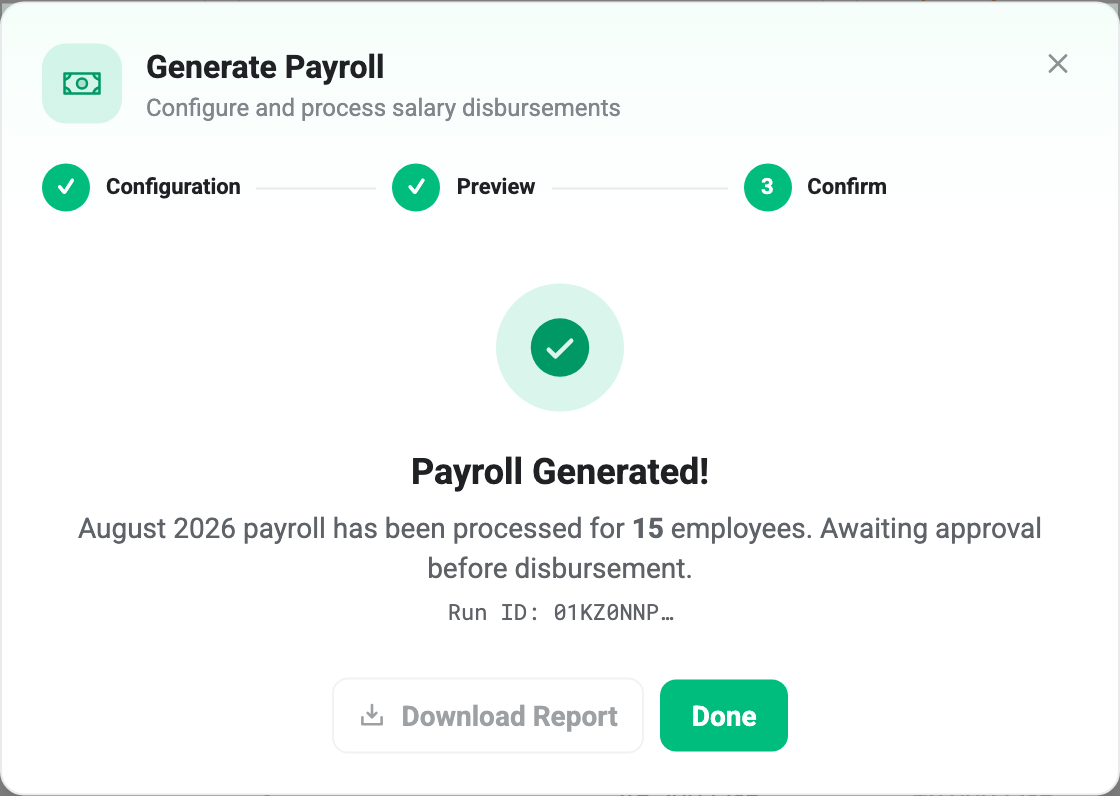
The wording is exact: awaiting approval before disbursement. The run has been created at Pending Approval, the numbers are frozen, and no money has moved. What happens next is a separate decision, covered in Approving and Paying a Pay Run.
Download Report is not available yet.
One run per month
A month holds one live run. Generate a second while the first is still alive and BeeHR refuses, telling you a run already exists for that month.
The way out is to cancel the existing run first, which frees the month up — but only while it can still be cancelled. A run that has reached Paid is permanent, and so is its month. This is the practical reason to take the preview step seriously: cancelling costs nothing before payment and is impossible after.
A departmental run counts as the month’s run, so generating Sales on its own blocks everybody else until it is cancelled. If you pay departments separately, that is a real constraint rather than a workaround.
If nothing can be generated
Two stops, both at Step 2:
Nobody is eligible. Every employee is missing a salary, a bank account, or both. The skipped list tells you which, and the fix is on the employee records — Compensation and Bank Accounts.
Too many employees. Runs are capped at 99 people. Split by department.