
A run that has been checked still has to be signed off and then settled. Those are two separate steps in BeeHR, and neither of them moves money — the first is a decision, the second is you telling BeeHR that your bank has done its part.
The Pay List shows a banner for whichever stage the run has reached, with only the buttons that stage allows.
Approving
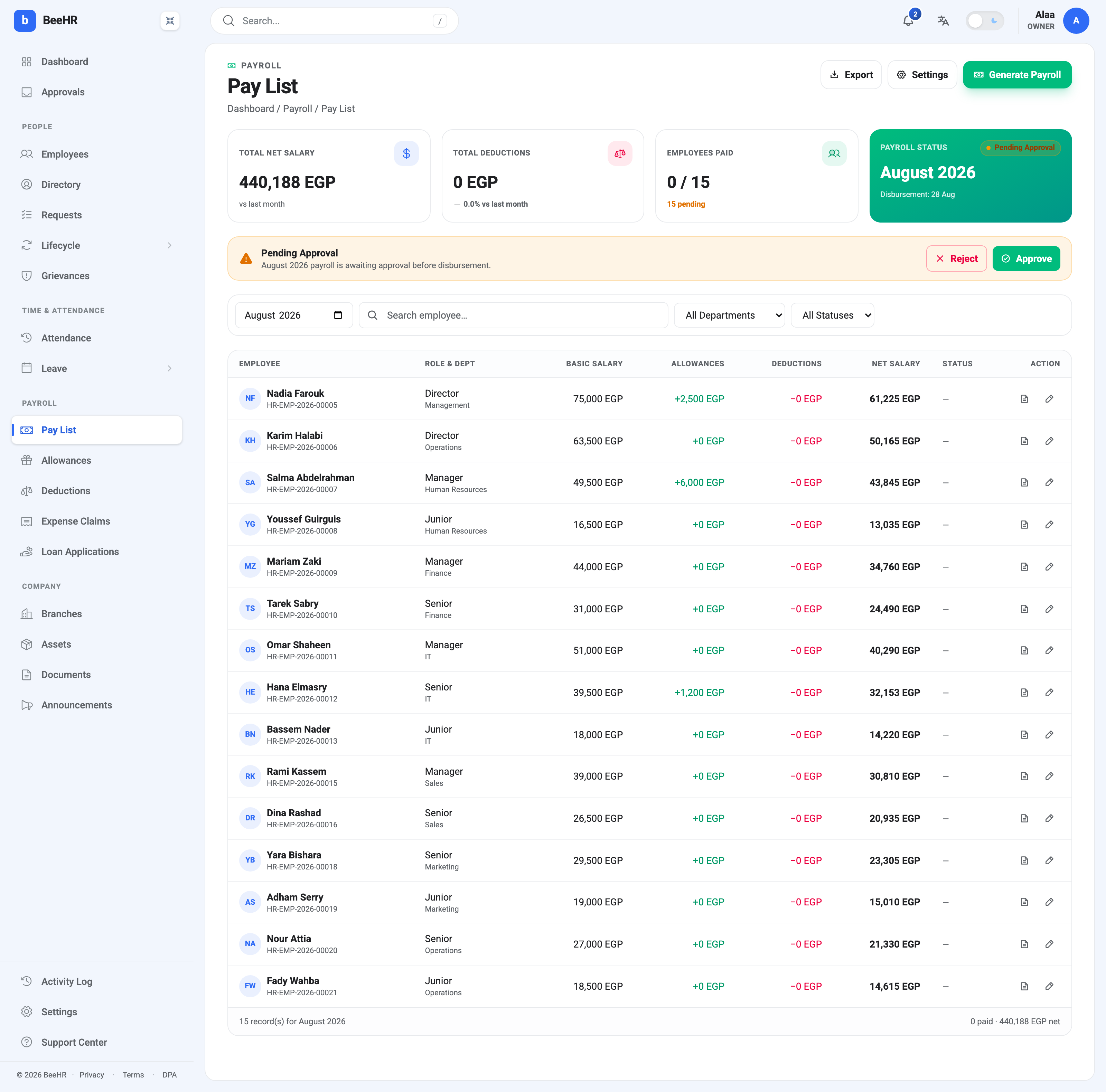
Approve commits the run’s figures. The run moves to Approved, every record in it moves to Processing, and the whole thing becomes read-only — the edit sheet locks at this moment. Whoever generated the run is notified that it was approved.
Approving does not pay anybody.
Who can approve
Two different things decide this, and they are easy to confuse.
The permission decides who can press Approve. It comes from the person’s role, and generating a run and approving one are separate permissions, so an account can be set up where the person who runs payroll cannot sign it off.
The approval chain decides who is told. Under Settings → Payroll → Approvals, the Pay runs scope names who gets the notification and the email when a run is generated. It routes the message; it does not gate the button. Anyone holding the permission can approve, whether or not they are named in the chain.
Rejecting
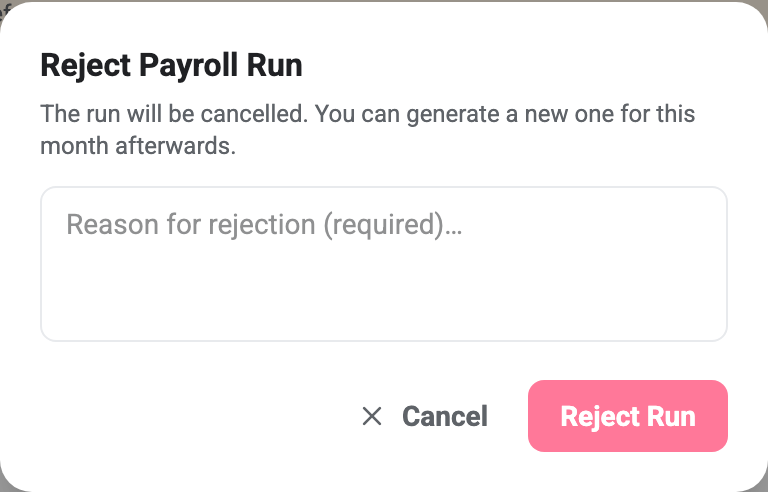
Reject asks for a reason and then cancels the run outright. The run becomes Cancelled, every record in it is cancelled with it, and the person who generated it is notified along with your reason.
There is no state that means returned for edits. A rejected run is finished; the month is free again and somebody has to generate it from scratch. If the problem is one figure on one person, rejecting is the expensive way to fix it — edit the record instead, while the run is still pending.
The reason is required, and it is the only explanation the next person gets.
Marking as paid
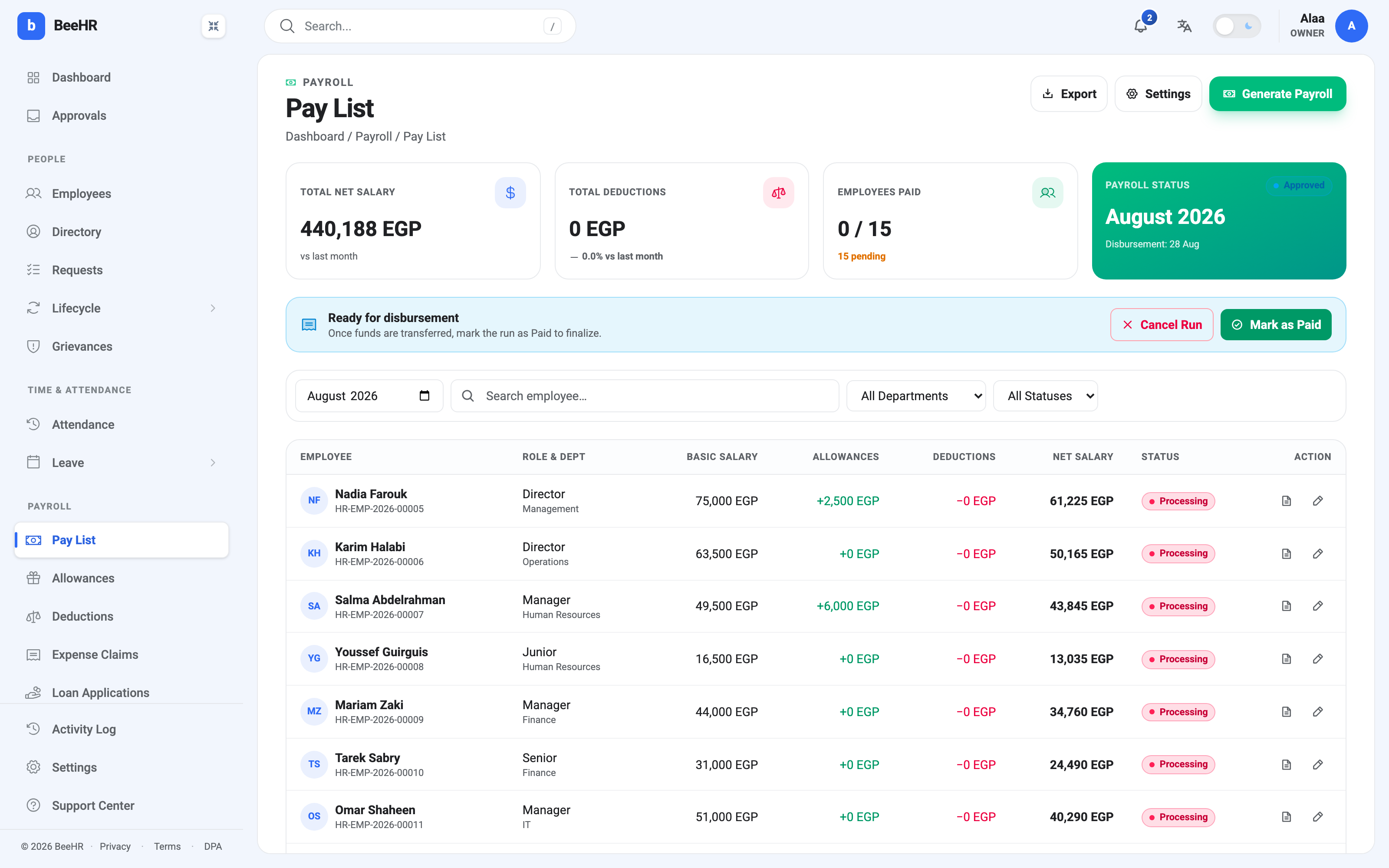
The banner’s wording is the important bit: once funds are transferred, mark the run as Paid. That is the order of events. You pay people through your bank, and then you come back here.
Mark as Paid asks for confirmation, because it is the last thing that can be done to a run. Confirming moves the run to Paid, stamps every record as paid with the time and who did it, and updates the paid count on the tile.
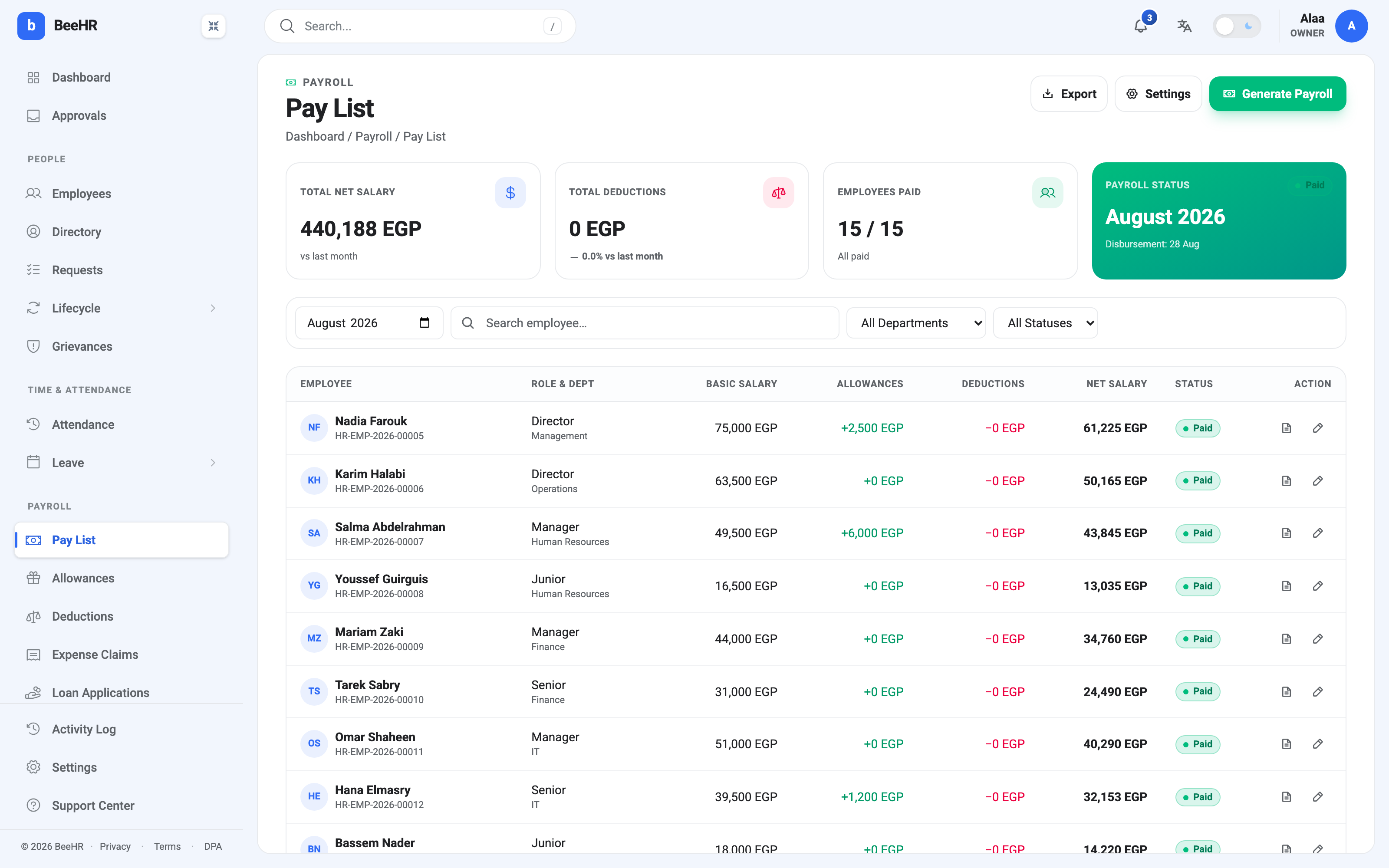
Paid is final. It cannot be cancelled, reopened or edited, and the month it belongs to can never hold another run. If something is wrong in a paid month, the correction goes into the next one, usually as an allowance or a deduction.
Cancelling an approved run
Cancel Run appears alongside Mark as Paid and exists for the case where a run was approved but should not be paid — the wrong month, the wrong scope, a figure nobody spotted until the transfer was being prepared.
It asks for confirmation, cancels the run and every record still live in it, and frees the month so a corrected run can be generated. Use it before the money moves; afterwards it is unavailable, and rightly so.
The statuses, in order
| Status | What it means | What you can do |
|---|---|---|
| Pending Approval | Generated, nothing committed | Edit records, Approve, Reject |
| Approved | Signed off, awaiting the transfer | Mark as Paid, Cancel Run |
| Paid | Settled and closed | Nothing — it is final |
| Cancelled | Rejected or cancelled | Nothing — generate the month again |
Records carry their own status that follows the run: no status at all while it is pending, Processing once approved, Paid at the end, and Cancelled if the run is.
What BeeHR does not do here
It does not transfer money. No status in this article instructs a bank. Mark as Paid is a record that a payment happened elsewhere, which is why it is available for you to press rather than something that happens on the payment date.
Nothing happens on the payment date. The date set when the run was generated is a note of intent. A run left at Approved on the 28th stays at Approved on the 29th.
It does not email payslips. The wizard offers a Send payslips via email checkbox, but nothing is sent whether it is ticked or not. Payslips are downloaded per person from the pay list.