
Attendance and payroll are separate records. A day marked Absent on the attendance grid is a fact about who was at work; it does not become money until somebody turns it into a deduction. Doing that by hand for twenty people means twenty small divisions and twenty chances to fat-finger one.
Generate Absence Deductions does the arithmetic in one press. It lives on Time & Off → Attendance rather than anywhere in Payroll, which catches people out — but it belongs there, because the grid is what it reads.
The formula
deduction = (monthly salary ÷ divisor) × absent days
The salary comes from the employee’s current compensation record — the same figure payroll itself uses, not anything stored on a bank account or typed into attendance.
The divisor turns a monthly salary into a daily rate. It defaults to 30, so a 75,000 EGP salary is 2,500 a day regardless of how many working days the month actually had. Using 30 rather than the real working-day count is the conventional choice and the more generous one: a day costs less than it would if you divided by 22.
One caveat worth knowing: there is no field for the divisor anywhere in the dashboard. It is part of payroll settings and can be changed through the API, but the Payroll Settings screen doesn’t expose it, so in practice it is 30 unless somebody has deliberately changed it behind the scenes.
What it reads, and what it ignores
The button looks at one thing: cells marked A — Absent in the month you are currently viewing.
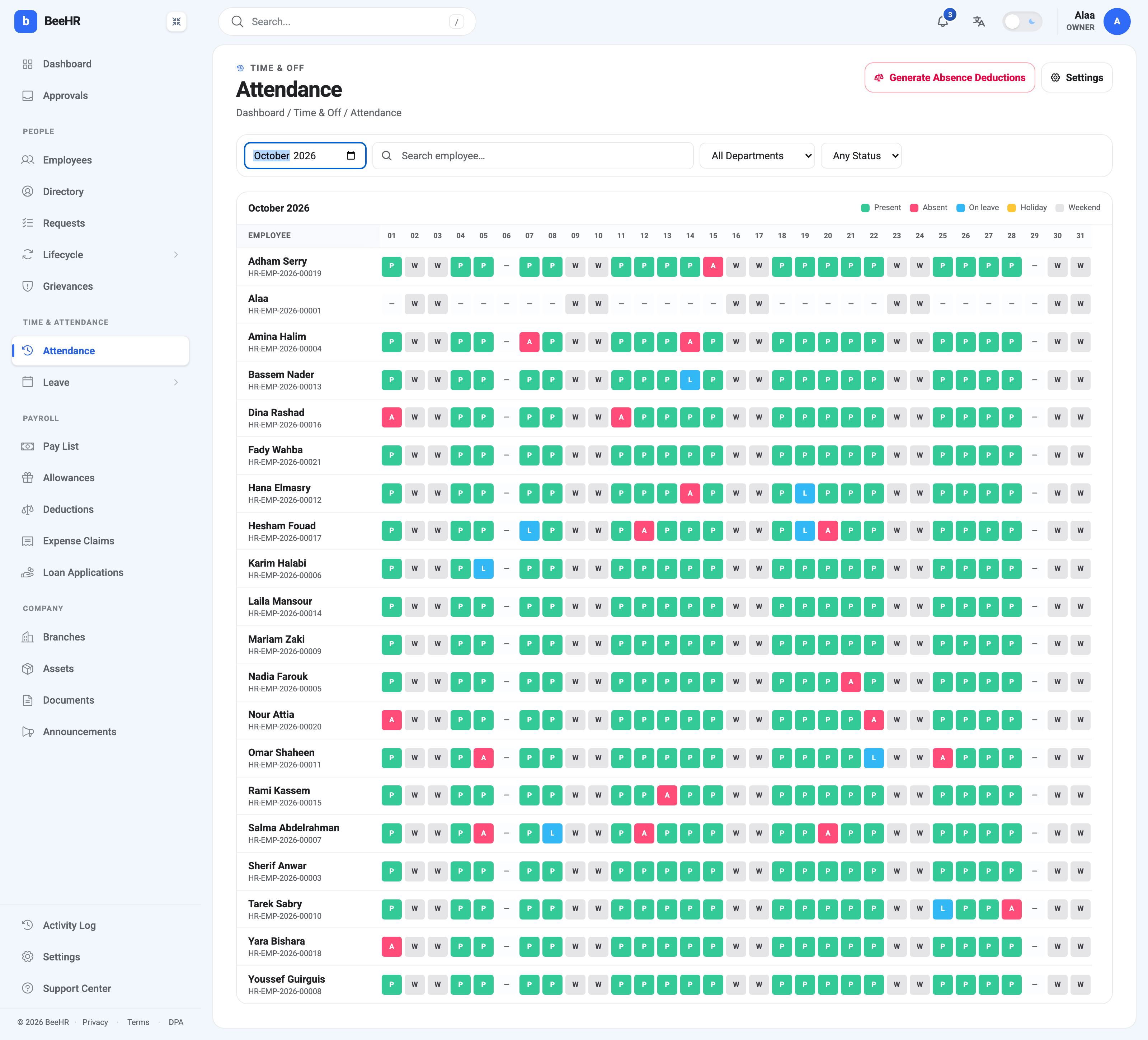
Everything else on the grid is left alone:
- L — On leave is not an absence. Leave is either paid or already accounted for, so it never produces a deduction.
- A dash is not an absence either. It means nothing was recorded at all, which BeeHR treats as an absence of information rather than an absence from work.
- Weekends and holidays are not working days and are skipped.
That first-and-third point is where the risk sits, and it’s worth being blunt about it:
Approved leave does not mark itself on the grid. As The Monthly Attendance Grid explains, approving a leave request updates balances and reports but writes nothing into the grid. Somebody on approved leave whose cells were left as Absent will be deducted for it, and the generator has no way to know better.
Which gives you the order of operations. Fix the grid first, generate second. Mark approved leave as L, correct anything that should be Present, and only then press the button. The generator photographs the grid as it stands at that moment; correcting a cell afterwards does not revise a deduction it already wrote.
Generating
The button asks for confirmation, then reports what it did.
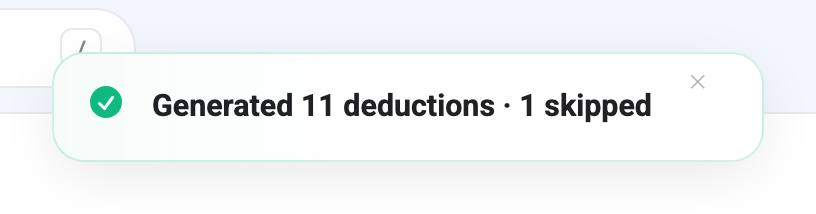
Someone is skipped for one of three reasons:
They already have one. The generator tags every row it writes with the month it came from, and refuses to write a second for the same person and month. This is what makes the button safe to press twice — a re-run for October now reports 0 generated · 12 skipped and changes nothing. If you can’t remember whether you already ran it, run it.
They have no salary on record. Nothing to divide, so nothing to deduct. In the grid above Amina Halim has two absent days and no compensation record, which is the one skip in that run — her absences are real and simply can’t be priced. Nothing warns you about this beyond the count in the toast, so a skip is worth chasing rather than shrugging at.
The amount works out to zero. Rare, and usually a sign a salary is recorded as zero.
What you get
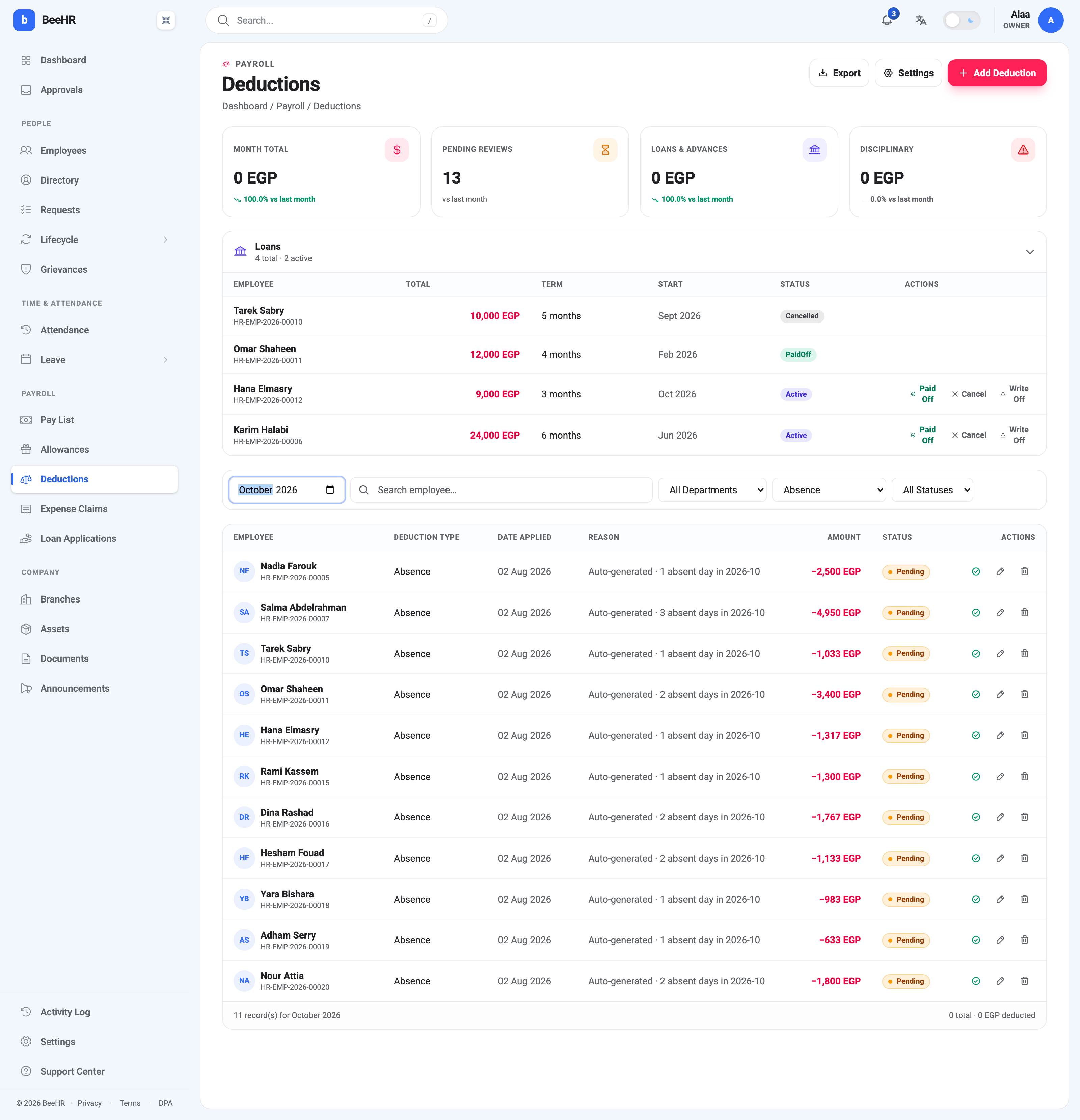
One deduction per employee, not one per day — somebody with three absent days gets a single row for the total. The reason is written for you and says where the figure came from: Auto-generated · 3 absent days in 2026-10.
Check the arithmetic against the grid if you like. Nadia Farouk earns 75,000 and missed one day: 75,000 ÷ 30 = 2,500. Salma Abdelrahman earns 49,500 and missed three: 1,650 a day, so 4,950. Tarek Sabry’s 31,000 gives 1,033.33, rounded to 1,033.
And then the important part:
Every generated row is Pending, and Month Total still reads 0 EGP.
Generating is not deducting. These are eleven proposals, and payroll counts Approved deductions only, so until somebody works through them nobody’s pay changes. The Pending Reviews tile is the queue — it reads 13 here, the eleven absences plus two loan installments that were already waiting.
That gap is the feature, not an oversight. It is the moment to catch the day somebody was actually at a client site, or the leave request that never made it onto the grid. Approving is per row, from the green tick in the Actions column, and anything contested becomes Disputed instead — see Deductions for how that works.
Fitting it into the month
The sequence that causes the fewest arguments:
- Close the attendance month. Fix dashes, mark approved leave as L, mark company closures as holidays.
- Generate absence deductions, and chase anything the toast says was skipped.
- Review and approve the rows, disputing the ones somebody queries.
- Then run payroll. A run generated before step 3 picks up nothing, because nothing was approved yet.
Doing step 4 first is the common mistake, and it is not fixable inside that run once it has been paid — a pay run is a snapshot, as How Payroll Works describes. The correction lands in the following month.