
Settings → Promotions is the smallest settings panel in BeeHR. One toggle, and three shortcuts to screens that do the rest of the work.
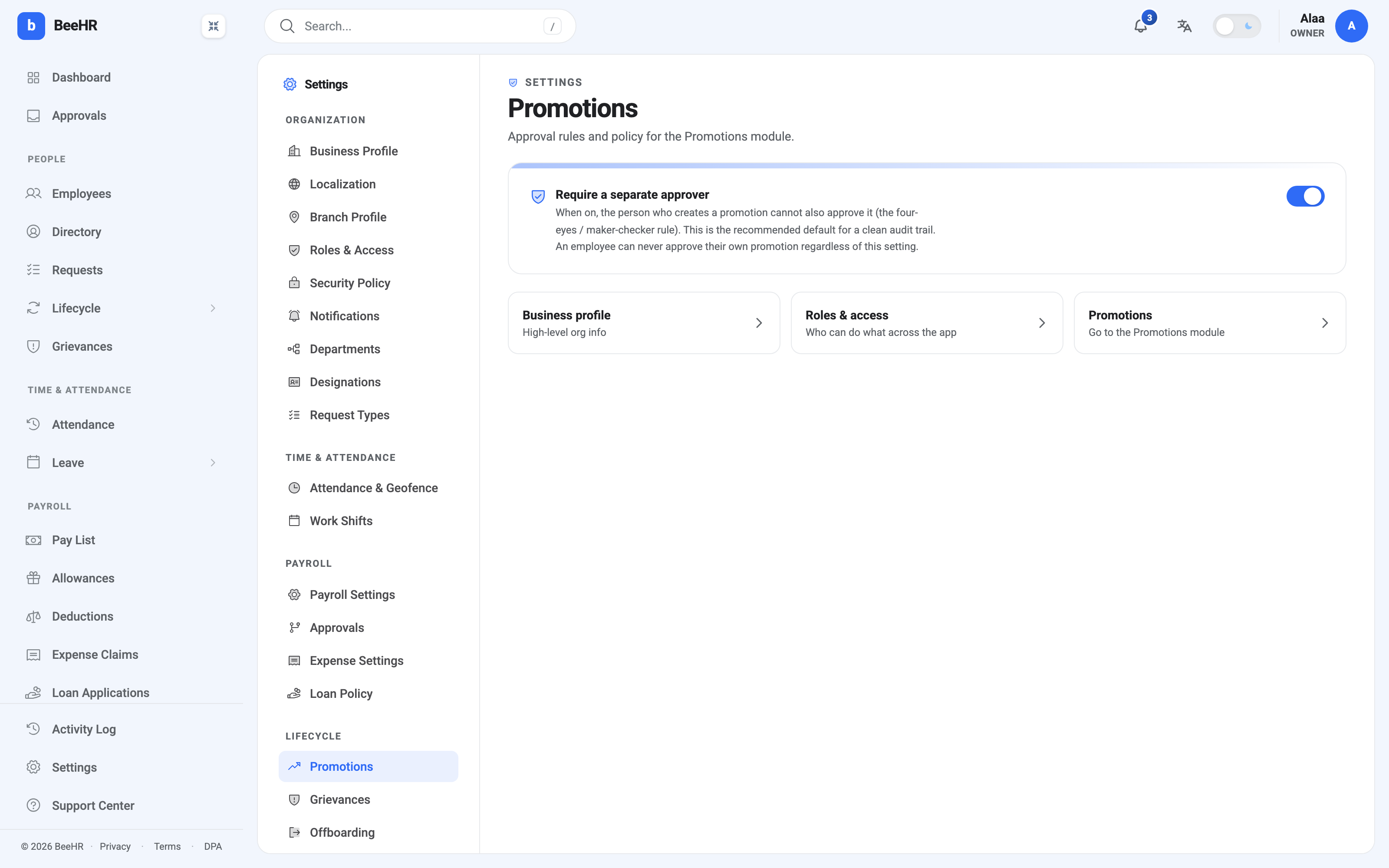
Require a separate approver
On by default, and worth leaving on.
When on, whoever raised a promotion cannot be the one who approves it. Two different people have to touch it — the four-eyes or maker-checker rule, the same principle that stops one person both writing and signing a cheque.
When off, somebody with both permissions can raise a promotion and approve it themselves in two clicks.
The reason to leave it on isn’t distrust. It’s that a promotion carries a salary change into payroll, and a single-person path leaves no second opinion anywhere in the record. A year later, “who agreed to this?” has one name on it instead of two.
The reason you might turn it off is a genuinely small team, where the only person who can approve is also the only person who raises anything. In that situation the toggle isn’t protecting you from anything — it’s just blocking work.
The rule that holds either way
The description ends with a sentence that isn’t affected by the toggle at all:
An employee can never approve their own promotion regardless of this setting.
Self-approval is prohibited outright. Turning the toggle off relaxes maker-checker — it does not let anyone sign off their own step up. That distinction matters if you’re switching it off on a small team: you’re allowing one person to raise and approve a promotion for somebody else, not for themselves.
What isn’t here
This panel is only about the shape of the approval. Everything else about promotions is set elsewhere, which is what the three shortcut cards are for:
Who can raise or approve at all is a permission, in Roles and Access. If you want to enforce that only senior managers approve promotions, that’s the lever — not this screen.
Who gets notified is the approver picker on each promotion, defaulting to the employee’s line manager. There’s no company-wide promotion approval chain the way there is for payroll.
The titles people can be promoted into come from Designations.
There’s no setting here for eligibility rules — minimum time in role, a cap on raise size, or an approval threshold above a certain percentage. If your policy has those, they live in your handbook rather than in BeeHR, and the Remarks field on each promotion is where the case for meeting them gets written down.
Saving
The toggle applies immediately; there’s no save button on this panel. Changing it affects promotions raised from that point on and doesn’t retrospectively invalidate anything already approved.