
Some of an employee’s own data is theirs to change and some of it isn’t. A phone number is low-stakes. Bank details are where salary goes, and letting somebody change those unsupervised is how payroll fraud works.
BeeHR’s answer is the change request: an employee edits their own record, and for the protected fields the edit becomes a request rather than a change. It waits at Lifecycle → Change Requests until HR approves it.
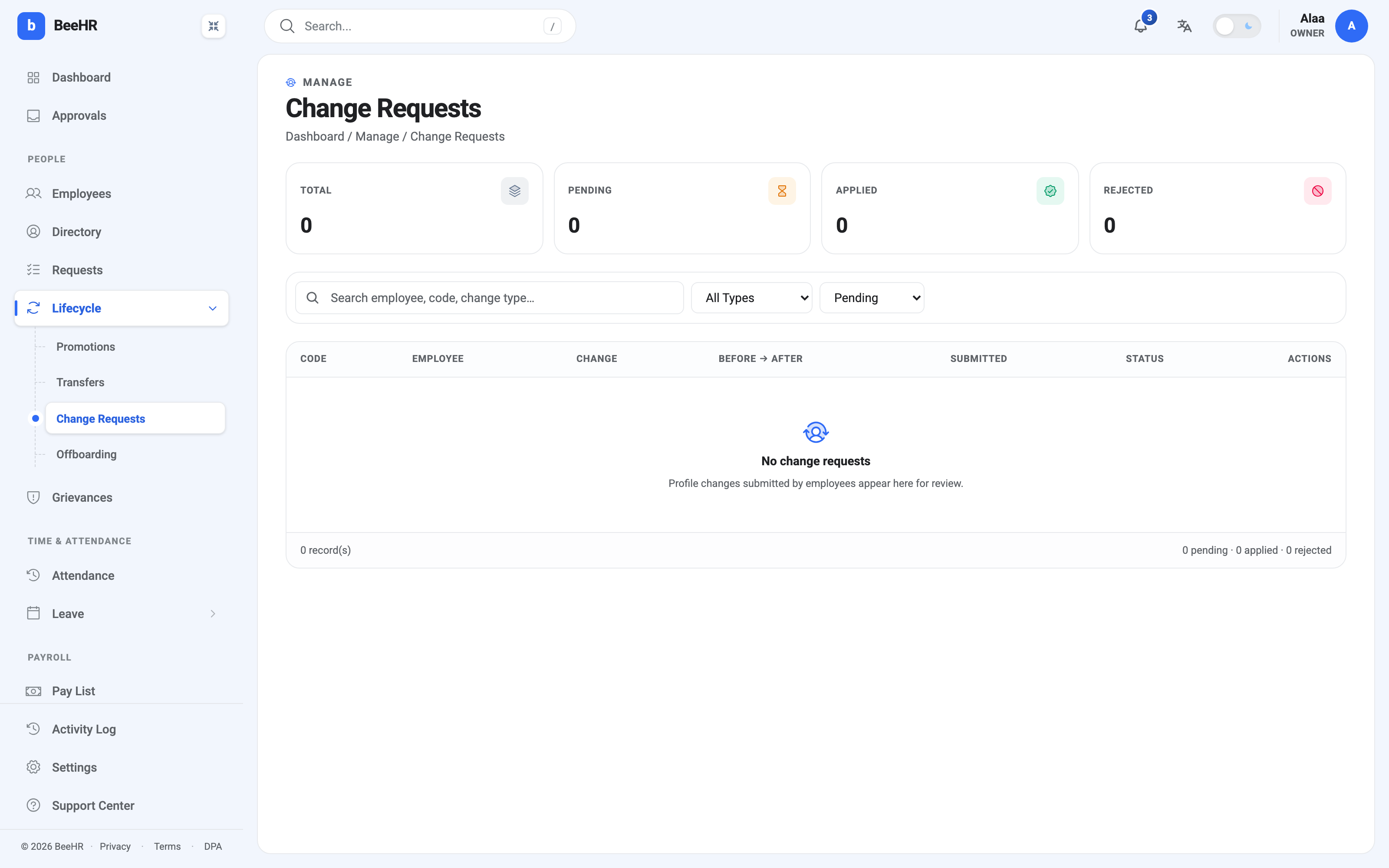
Before → After is the whole design
The table’s central column shows the old value and the new one side by side. That’s what makes reviewing a queue of these fast: you are not opening a record and hunting for what moved, you are reading a diff.
It also makes the risky cases obvious. A phone number changing by two digits looks like a correction. A bank account changing entirely, three days before a pay run, looks like something to pick the phone up about.
The three states
Pending — submitted, waiting on a decision. The status filter defaults here, because it’s the only state that needs anything from you.
Applied — approved, and the value is now on the employee’s record. Note the word: not “Approved”. Approving a change request is applying it — unlike a promotion or a transfer, there’s no effective date and no scheduled process in between. Approve it and it’s live.
Rejected — declined. The employee’s record keeps its original value.
Who can do what
Two separate permissions, and they’re the two ends of this workflow:
Request profile changes lets somebody submit a change to their own approval-gated data. This is what employees hold — it’s what makes the self-service edit produce a request instead of an error.
Approve change requests lets somebody review and decide. This is the HR side, and it’s the one to be careful about handing out: it is effectively the ability to authorise where somebody’s salary is paid. See Roles and Access.
An employee can cancel their own pending request if they submitted it by mistake.
Why this screen is usually empty
Change requests are created by employees, almost always from the phone app. An account where nobody has been invited to log in yet will never have one — as here, where all four tiles read zero.
So an empty queue means one of two things, and they’re worth telling apart: either nobody has needed to change anything, or nobody has been invited to the app in the first place. If your roster is on BeeHR but nobody has an account, every profile update is still being done by HR by hand, and this workflow isn’t protecting anything because it never fires. See Inviting an Employee to Log In.
Working the queue
The habit that makes this safe rather than a rubber stamp:
- Read the diff, not the request. The Before → After column is the review.
- Treat bank changes differently from everything else. A phone number can be approved on trust. An account number is worth a verbal confirmation with the person, through a channel that isn’t the same one the request came from.
- Watch the timing. Bank detail changes just before a pay run deserve more attention than the same change mid-month — see Bank Accounts and How People Get Paid for how the account reaches payroll.
Approved changes land on the employee record immediately, so anything already generated — a pay run built this morning — keeps the old value. A pay run is a snapshot, as How Payroll Works describes.