
Status answers one question: is this person working for us right now? It is not about permissions — that’s their role — and the two move independently.
Open it from the ⋮ menu, either on their row in All Employees or beside Edit on their record, and choose Change status.
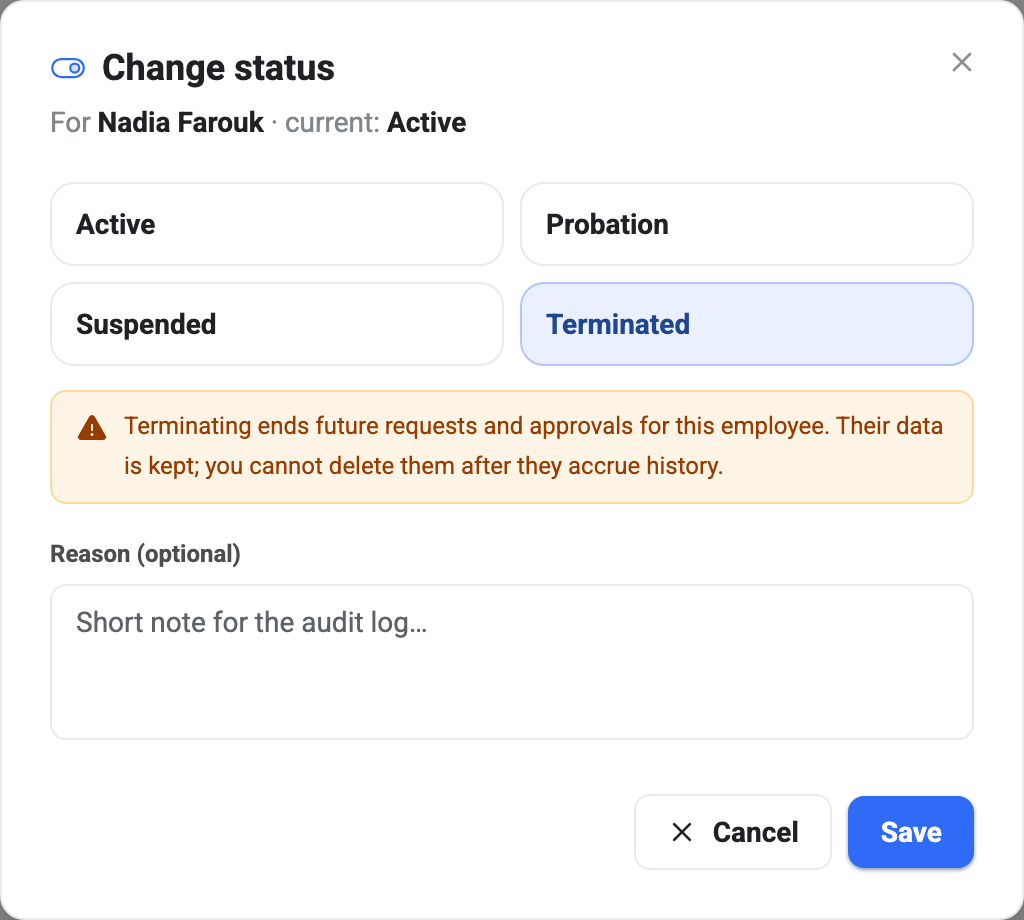
What each status means
Active is the normal state. They work here, they can sign in, their requests and attendance behave as expected.
Probation is Active with a label. Nothing behaves differently — access, payroll and leave all work exactly as they do for an Active employee. It exists so you can see and filter on who is still in their trial period, usually alongside the probation end date on their record. Nothing happens automatically when that date passes; moving them to Active is a decision somebody makes.
Suspended cuts off access while keeping the employment relationship. Use it for the middle of an investigation, or any situation where somebody should stop using BeeHR today but is not leaving.
Terminated is for people who have left.
Suspended and Terminated both stop access
This is the part that surprises people, so it’s worth being explicit: both of those statuses revoke access to BeeHR entirely — the dashboard and the phone app alike.
BeeHR checks employment status on every single request rather than reading it from the sign-in token. That means suspending somebody takes effect on their very next tap, not whenever their session happens to expire. There’s no window to wait out.
Terminated goes one step further and disables the login itself, so a device that still holds a valid session can’t quietly keep renewing it. Suspended leaves the login intact, which is what makes it the reversible one — set them back to Active and they carry on where they were.
Note — If your goal is to stop somebody using BeeHR, status is the lever. Changing their role only narrows what they can see; it still lets them in.
Terminated is the hard one to undo
Restoring somebody from Terminated back to any other status requires Admin. Anyone else gets a refusal, by design — un-terminating a leaver re-enables a login, and that shouldn’t be a routine action.
You also cannot terminate yourself. BeeHR blocks it outright rather than letting you lock yourself out of your own account.
The reason box
The Reason field is optional and goes into the Activity Log alongside the old status, the new one, your name and the timestamp.
Fill it in. Status changes are exactly the sort of thing somebody asks about six months later, and “Suspended pending investigation, ref HR-2026-14” answers that question in a way that an empty audit row does not.
After you terminate someone
They vanish from the employees list. Not deleted — hidden. The list filters terminated people out by default, and Include terminated in the filter panel brings them back; see The Employees List for that trap in full.
Their record, attendance, requests and pay history all stay exactly where they were. That is the whole point of terminating rather than deleting, and it is why Removing an Employee will usually refuse to delete anybody who has been with you long enough to accumulate any.