
There are two ways to take somebody off the roster, and they are not alternatives — one of them will refuse to run in almost every real situation.
Terminate marks them as having left and keeps everything. Delete erases the record. Nine times out of ten, terminate is what you want; the tenth is a duplicate you created ten minutes ago.
Delete
It’s in the ⋮ menu, on their row in All Employees or beside Edit on their record, in red at the bottom.
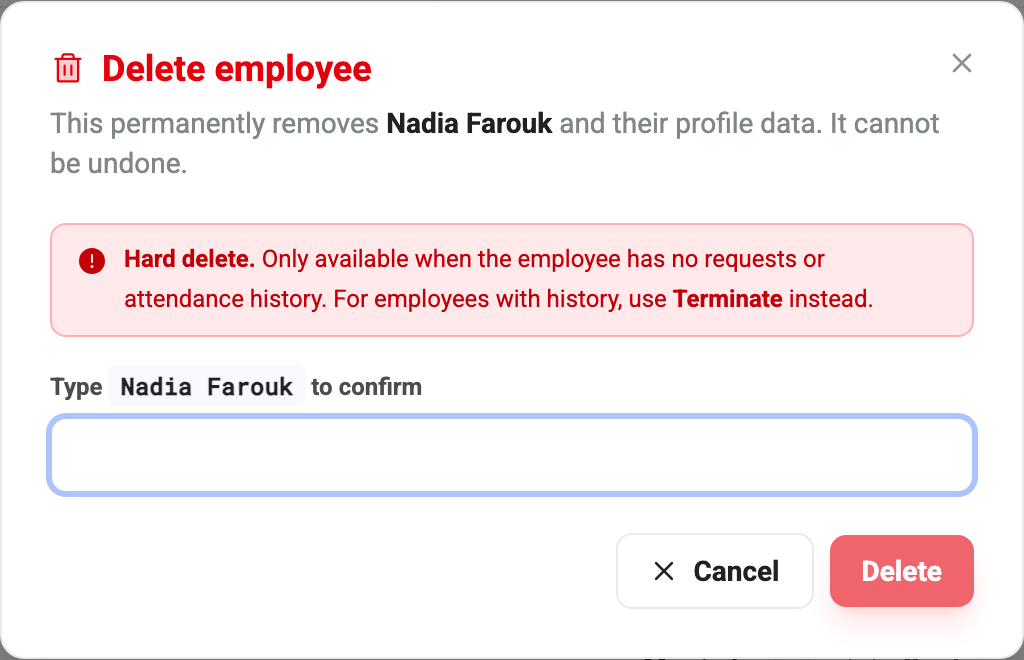
You have to type the person’s full name exactly as it appears. Nothing else unlocks Delete — no amount of clicking, and pasting a near-match won’t do it either.
Why it usually refuses
Even with the name typed correctly, BeeHR checks three things and will stop you:
They have history. If the person has ever submitted a request or had a day of attendance recorded, the delete is refused and BeeHR tells you to terminate instead. Deleting them would leave approvals, leave records and attendance rows pointing at somebody who no longer exists.
They manage someone. If anybody lists them as their reporting manager, you have to move those people to a different manager first. BeeHR will not leave a team pointing at a deleted record.
They’re you. You can’t delete your own record, in the same way you can’t terminate yourself.
In practice the first of those catches nearly everybody. Anyone who has worked a single day has attendance.
What delete actually removes
When it does go through, it is a hard delete: the record, the profile detail, the bank accounts and the salary history all go, and their login is disabled. There is no recycle bin and no undo. That is why the guards are strict.
Terminate instead
Setting somebody’s status to Terminated does everything you actually wanted from delete:
- They can no longer sign in — access is cut off outright, checked on their next action rather than whenever their session expires.
- They drop out of the employees list, out of approval routing, and out of the headcount.
- Everything they did stays intact and attributable: their requests, their attendance, their payslips, their place in last year’s reports.
They can be found again whenever you need them, via Include terminated in the list filters. See Changing an Employee’s Status for how to do it and what it takes to reverse.
Which to use
Ask one question: did this person ever really work here?
If yes — they resigned, their contract ended, you let them go — terminate them. Their history is part of your company’s history, and payroll, tax and any dispute a year from now all depend on it still being there.
If no — you typed the same person in twice, or created a test record while setting BeeHR up — delete is exactly right, and it will still be available precisely because the record never accumulated anything.
Note — If somebody is leaving and there is a process to run — clearance, returning equipment, a final settlement, an exit interview — start an exit case in Off-Boarding rather than changing their status by hand. It ends in the same place, having collected everything along the way.